Garage-door owner manuals and quick guides
Need the instructions for your door, opener or accessory? Find your model and version below. Our Quick Operation Guides help with everyday tasks, while installation manuals and product chapters give trained installers the detailed technical information they need.
Arrange a repair · Arrange a service · Call 13 62 63
Find the model first
- Read the label on the opener or accessory; a replacement remote alone does not identify the opener.
- Record the model, version and installation date where available.
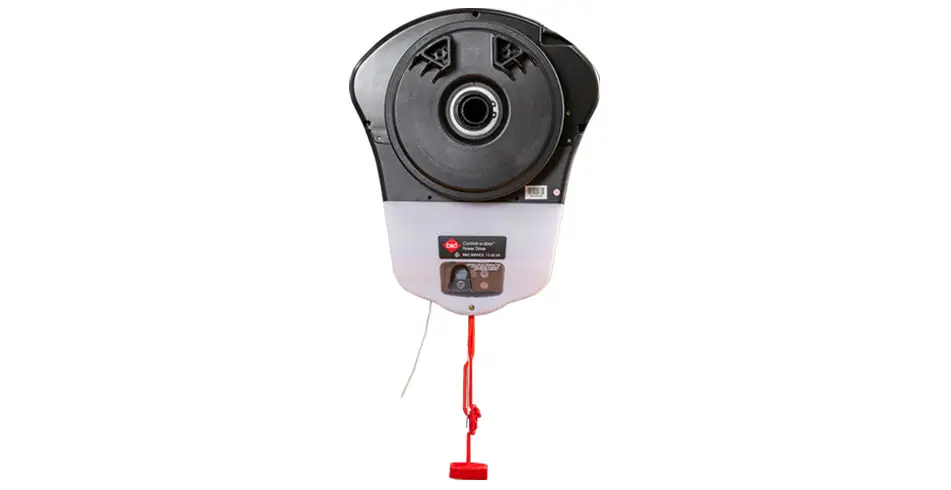
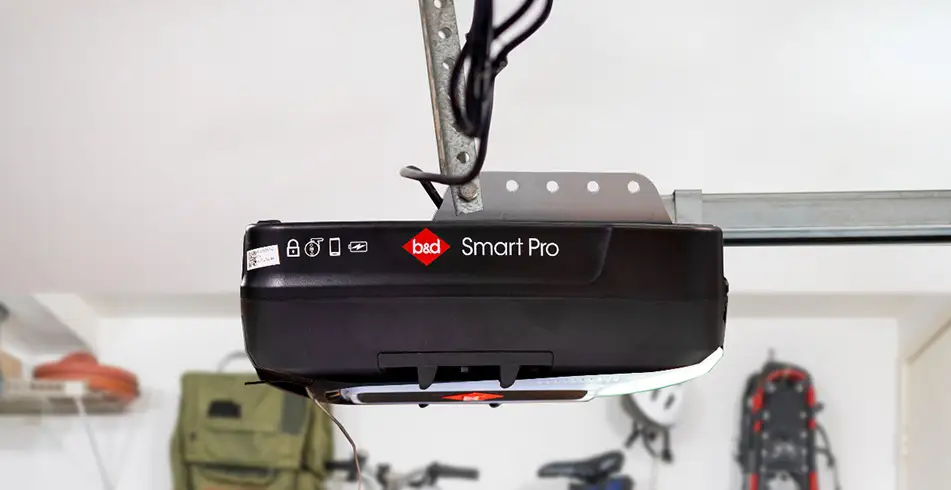
- Compare the pictured controls and release mechanism with your equipment.
- If the details do not match, contact us before using the instructions.
Choose a Quick Operation Guide
| Quick guide / PDF | What it helps you do |
|---|---|
| B&D Quick Operation Guide Smart Pro, Smart & Secure | Smart Pro, Smart and Secure: controls, manual operation, remote coding, CR2032 remote battery, compatible smartphone setup and warning indicators. |
| B&D Quick Operation Guide Powerdrive & Roll-A-Pro | Power Drive and Roll-A-Pro: controls, manual operation, remote coding, battery care and troubleshooting. Power Drive stores 64 remotes; Roll-A-Pro stores 8. |
| B&D Quick Operation Guide PanelMax | PanelMax SDO-8: use the guide matching this opener generation rather than a Smart-family procedure. |
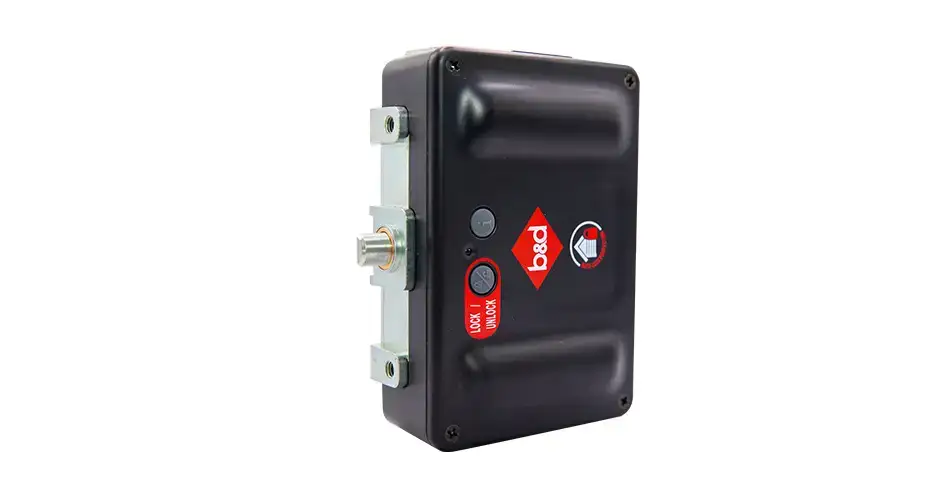
| Sectional AUTO LOCK — Quick Operation Guide | Sectional AUTO LOCK: operating status, manual/emergency access and battery guidance for the pictured hardware. |
| ATA Openers Quick Operation Guide Hiro | Hiro GDO-12: owner operation, controls, manual access and model-specific care. |
Useful details from the quick guides
| Topic | What to know before you begin |
|---|---|
| Remote memory | The Smart Pro/Smart/Secure models in this guide store up to 64 transmitters. For the covered rolling models, Power Drive stores 64 and Roll-A-Pro stores 8. |
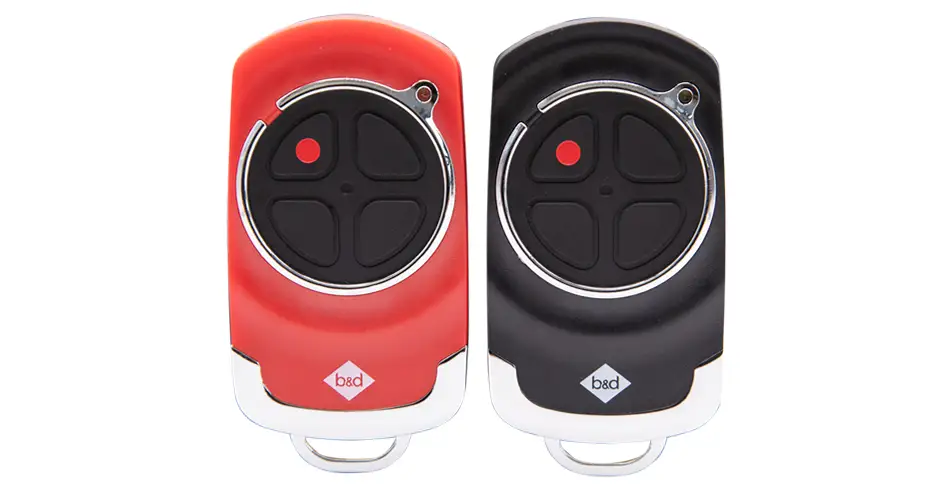
| Remote battery | The transmitter pictured in our Smart-family quick guide uses one CR2032. Check the actual remote before buying a replacement. |
| Manual release | The guides recommend disengaging with the door closed. A disengaged opener may no longer hold the door locked. Follow the exact model’s procedure and precautions. |
| Warning lights | Interpret the pattern using the guide for that model; a normal position signal, low accessory battery and beam obstruction are different conditions. |
| Charging | The rolling quick guide allows 24–48 hours for the compatible backup battery to reach maximum charge. Do not apply that period to every other opener family. |
Do not release an unsupported, damaged or unbalanced door. Spring, cable, balance and opener adjustment are technician work. If an instruction or warning is unclear, arrange assistance.
Product manuals and compatibility references
| Document / PDF | Use |
|---|---|
| Introduction & Warranty — historical December 2019 chapter | Technical reference; match the model, document date and installation. |
| Industrial & Commercial Sectional Doors | Technical reference; match the model, document date and installation. |
| Compliance | Technical reference; match the model, document date and installation. |
| Industrial & Commercial Rolling Doors | Technical reference; match the model, document date and installation. |
| Industrial & Commercial Shutters | Technical reference; match the model, document date and installation. |
| Residential Sectional Doors | Technical reference; match the model, document date and installation. |
| Residential Rolling Doors | Technical reference; match the model, document date and installation. |
| B&D Remote Compatibility Chart — October 2023 | Technical reference; match the model, document date and installation. |
| Premium and Specialty Doors | Technical reference; match the model, document date and installation. |
| Door Accessories | Technical reference; match the model, document date and installation. |
| B&D Smart Pro Opener Installation Guide Manual | Technical reference; match the model, document date and installation. |
Older library chapters remain useful for identifying earlier equipment, but their presence does not make them the latest warranty or specification. For current general cover use B&D general warranty terms — November 2025. Confirm whether a newer guide applies to your supplied model.
Find more detail on your product page
- Power Drive — specifications, modes, lights and care
- Roll-A-Pro — specifications and compatible options
- Smart Pro — package and operating limits
- Smart — package and beam requirements
- Secure — specifications and upgrade options
- AUTO LOCK — compatibility, status and emergency operation
- Safety Beams — versions, positioning and maintenance
- Remotes — batteries, replacements and memory
Cannot identify the right guide?
Call us on 13 62 63 or contact our team with the label details and a photograph if available. For a fault or damaged equipment, arrange a repair.
Images on This Page
-
https://api.fouanalytics.com/api/noscript-2080i4coynpv51kq7epl.gif
(no alt text)
-
https://admin.bnd.com.au/media/kvqhfp5m/bd_80years-logo_2026_dark.png?rmode=max&width=2212&height=722
(no alt text)
-
https://admin.bnd.com.au/media/zdmj44kf/showrooms.svg
bnd-showrooms
-
https://admin.bnd.com.au/media/k2bhaqq2/bd-roll-a-door-night-sky-inside.webp?rmode=max&width=0&height=0
Reliable as Can B&D Roll-A-Door Garage Door Interior in Night Sky
-
https://admin.bnd.com.au/media/iigb25uj/bd-panelift-icon-basalt-nullabor.webp?rmode=max&width=0&height=0
Safe as Can B&D Panelift Section Door in Nullabor Basalt
-
https://admin.bnd.com.au/media/2jombqn1/bnd-designer-finishes-sheer-panel.webp?rmode=max&width=4546&height=2564
Bnd-Designer-Finishes-Sheer-Panel
-
https://admin.bnd.com.au/media/0fel4abo/bd-roll-a-door-series-2-commercial-warehouse-forklift.webp?rmode=max&width=951&height=490
Safe as Can B&D Forklift in front of a Series 2 Commercial Roller Door Home
-
https://admin.bnd.com.au/media/m1bpjbhm/bd-toughpanel-commercial-sectional-door.webp?rmode=max&width=1308&height=797
(no alt text)
-
https://admin.bnd.com.au/media/iukar1yo/bd-roll-a-door-series2-commercial-door.webp?rmode=max&width=951&height=490
Safe as Can B&D Angled view of Series 2 commercial Roll-A-Door installed in warehouse Home
-
https://admin.bnd.com.au/media/tt4na5tf/bd-controll-a-door-power-drive-roller-door-opener-profile.webp?rmode=max&width=0&height=0
Reliable as Can B&D Controll-A-Door Power Drive Opener Profile
-
https://admin.bnd.com.au/media/3k3b2sqk/bd-smart-pro-sectional-door-opener-profile-5.webp?rmode=max&width=0&height=0
Smart as Can B&D Profile View of Smart Pro Sectional Door Opener
-
https://admin.bnd.com.au/media/yxbf3xdh/bd-garage-door-remote.webp?rmode=max&width=0&height=0
Safe as Can B&D Two Branded Garage Door Remotes
-
https://admin.bnd.com.au/media/l52nemhn/bd-garage-door-smartphone-control.webp?rmode=max&width=0&height=0
Smart as Can B&D Hand holding smartphone in front of house and garage
-
https://admin.bnd.com.au/media/pfqjekdd/bd-auto-lock-garage-doors.webp?rmode=max&width=0&height=0
Safe as Can B&D Garage Door AUTO LOCK™
-
https://admin.bnd.com.au/media/bifpraoy/bd-safety-beam.webp?rmode=max&width=951&height=490
Safe as Can B&D Infrared Safety Beam Home
-
https://admin.bnd.com.au/media/vgojtl0n/bd-panelift-monument-seville-woodgrain-garage-door-family.webp?rmode=max&width=0&height=0
Safe as Can B&D Seville Woodgrain Panelift Garage Door & Family
-
https://admin.bnd.com.au/media/mswbsv20/social_facebook.webp?rmode=max&width=0&height=0
facebook social
-
https://admin.bnd.com.au/media/1mdhluow/social_youtube.webp?rmode=max&width=0&height=0
youtube social
-
https://admin.bnd.com.au/media/b5ukqdzp/social_linkedin.webp?rmode=max&width=0&height=0
linkedin social
-
https://admin.bnd.com.au/media/0hxb2b1k/bd-garage-doors-pinterest.webp?rmode=max&width=0&height=0
Pinterest Logo
-
https://admin.bnd.com.au/media/xyhfahvw/instagram-64.webp?rmode=max&width=0&height=0
instagram social
-
https://admin.bnd.com.au/media/dixfjpl4/branding_dulux.webp?rmode=max&width=0&height=0
Dulux page
-
https://admin.bnd.com.au/media/2c0jsrqw/asial-australian-security-industry-association-limited-member-logo.webp?rmode=max&width=0&height=0
ASIAL Australian Security Industry Association Limited Member Logo
-
https://www.bnd.com.au/images/app-store-badge.svg
Download on the App Store
-
https://www.bnd.com.au/images/google-play-badge.svg
Get it on Google Play
-
https://pixel.zprk.io/v5/pixel/ok5dCCY8BD.gif?ssid=1
(no alt text)