Product
Product Facts
- Product Name
- B&D AUTO LOCK™
- Availability
- In Stock
- Fulfillment Type
- online
- Brand
- B&D Garage Doors
- Category
- Home & Garden > Garage Doors & Openers
Your garage door is the largest door in your home and plays an important role in protecting what’s most precious to you.
| Variant | Price | Availability |
|---|---|---|
| BNDAUTO LOCK™ |

AUTO LOCK for sectional garage doors
Extra security, without an extra step
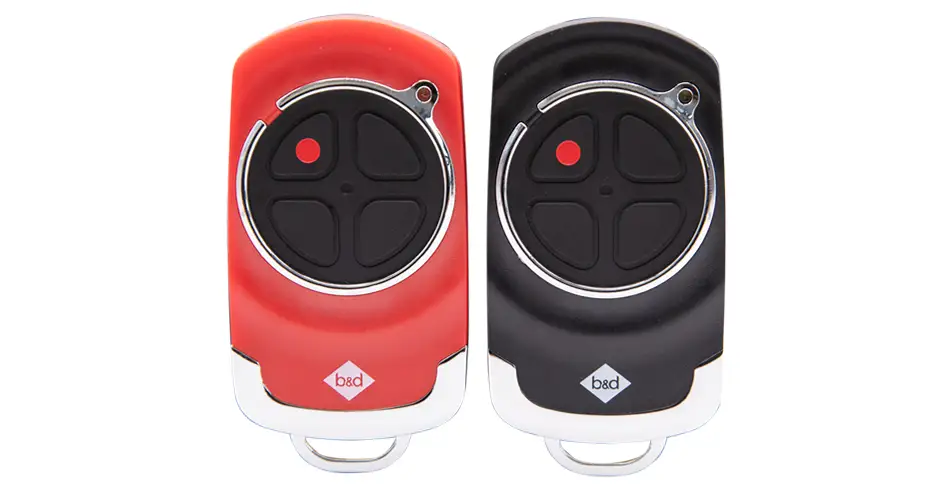
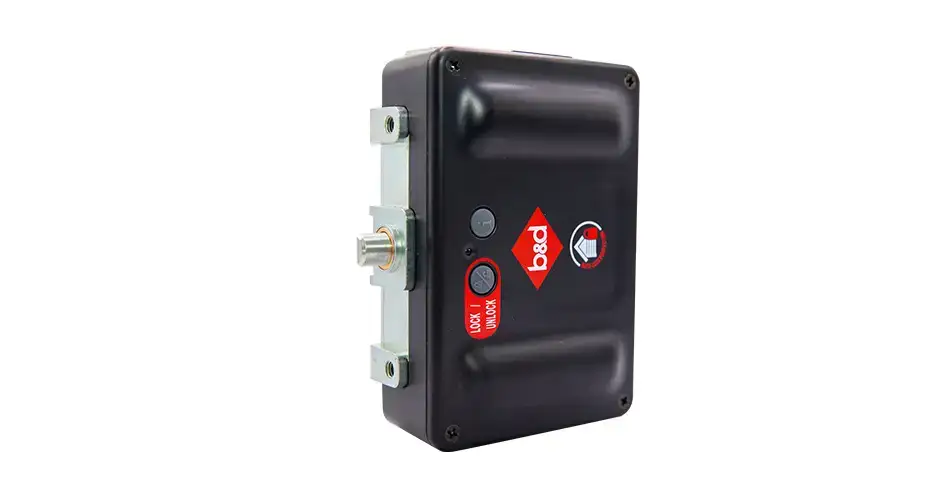
Your garage holds more than your car. Give the things you value an extra layer of protection with our AUTO LOCK. Its heavy-duty bolt automatically locks your compatible sectional door when you close it, then releases when you open it. Just use your usual remote—there’s no extra key or everyday locking step to remember.
The quote form opens on our main B&D website.
Thinking about AUTO LOCK for your sectional door? Check the compatible setups and specifications below, or find help with batteries, status lights, emergency operation and care. Our Roll-A-Door Secure uses a different integrated dual-lock system, with its own instructions and requirements.
On this page: Security and operation · Compatible setups · Specifications · Connected options · Status lights · Emergency release · Batteries · Troubleshooting · Care and warranty
How AUTO LOCK adds protection
The bolt engages with the door’s guide track when the compatible opener completes a closing operation. When you open the door normally, the paired system unlocks it before the door moves. You continue to use your regular remote control.
Our AUTO LOCK more than doubles the force needed at the lock point to lift a closed door, compared with a door held by an engaged automatic opener. That gives you extra resistance where the bolt secures the door. The result applies at the lock point on a suitable door, track, opener and installation; it is not a whole-door burglary rating or a guarantee against every break-in.
Which doors and openers work with it?
| Door or opener setup | Your door and opener options |
|---|---|
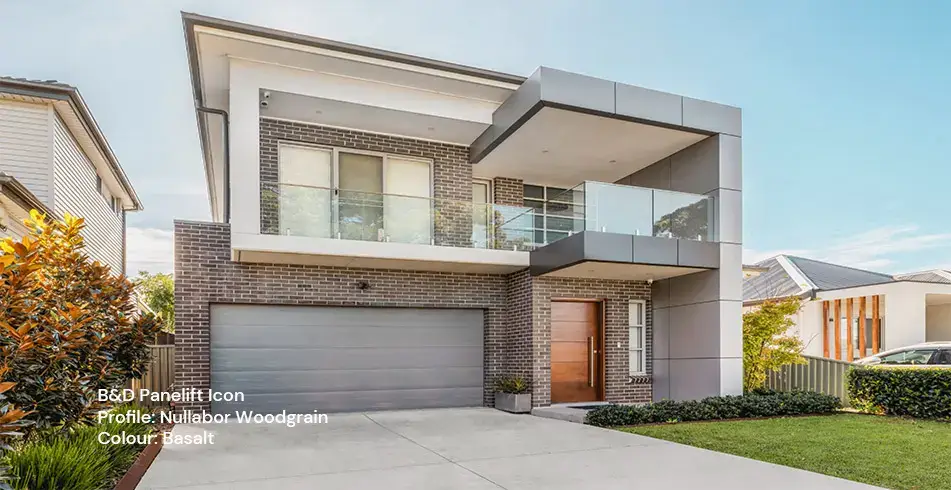
| B&D Panelift Icon sectional door | Standard |
| B&D Panelift sectional door | Optional extra |
| B&D Storm-Shield sectional door | Optional extra in our July 2025 range |
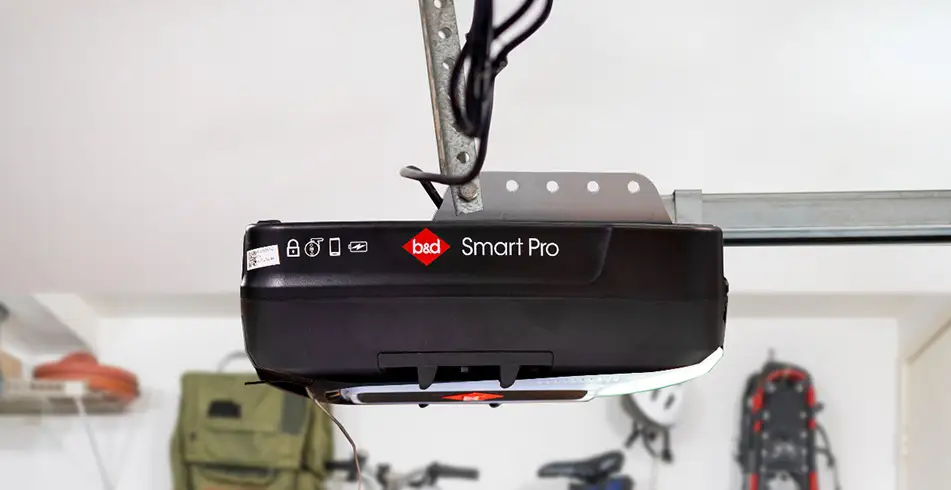
| B&D Smart Pro sectional opener | AUTO LOCK included in our July 2025 opener package |
| B&D Smart sectional opener | Optional, subject to compatible model/version |
| B&D Secure sectional opener | Optional, subject to compatible model/version |
| Many existing garage doors | Can be assessed for retrofit, but must be paired with a compatible B&D automatic opener |
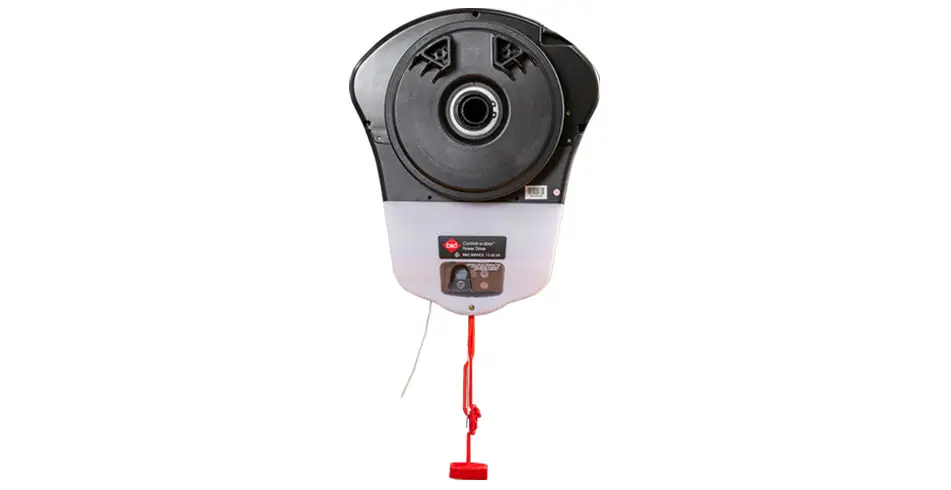
| Power Drive roller opener in the July 2025 accessory table | Sectional AUTO LOCK is not available for this range; Roll-A-Door Secure uses a separate dual-lock system |
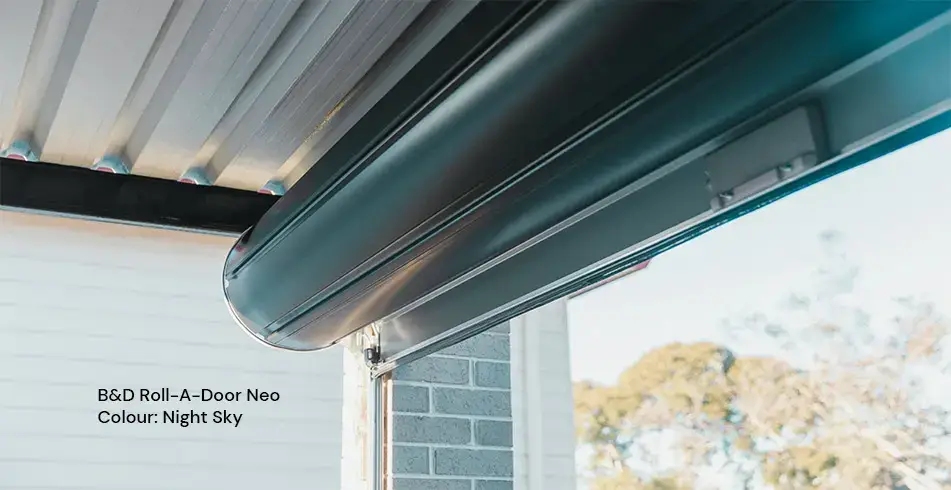
| Roll-A-Door Secure roller door | Uses its own integrated dual AUTO LOCK system, specified and installed as a complete Secure door |
Upgrading an existing door? We’ll check its model and version, track arrangement, condition and available space, together with your opener, to make sure AUTO LOCK is a suitable fit. Compatibility varies between brands and opener generations.
Tell us whether you are ordering a new door, changing the opener or upgrading an existing installation. We will confirm whether the lock is standard, included in your selected opener package or a separately priced option, and document the compatible components on your quote.
Sectional AUTO LOCK specifications and features
| Item | Specifications |
|---|---|
| Locking method | Keyless physical bolt engaging with the door guide track |
| Normal operation | Automatic locking/unlocking with the paired compatible opener and regular remote |
| Power for the lock | Two C-LR14 batteries |
| Feedback | Red and green LED status indicators |
| Status display time | Normally 10 seconds after lock movement or a button press |
| Emergency control | Front emergency lock/unlock button; for power outage or emergency use |
| Smartphone monitoring | Optional compatible connected setup through the B&D App |
| Separate accessory warranty | 1 year under the general B&D warranty terms |
We’ll confirm the supplied finish and the space needed to fit AUTO LOCK to your sectional door. There is no selectable colour range or overall size table for this accessory. The IP66 rating for our Roll-A-Door Secure dual locks applies to those locks only.
Smartphone control and other setup choices
Combine a compatible opener, AUTO LOCK and the appropriate B&D Smart Phone Control equipment to view lock operation in the B&D App and receive notifications when issues arise. Connect through your home Wi-Fi, with the router in range and the app linked to your compatible opener or hub. Follow the setup steps in our quick guide.
Choose Smart or Smart Pro for included smartphone control, or add a compatible kit to Secure. Battery backup is included with Smart Pro and optional with Smart and Secure in our July 2025 packages. We’ll confirm your model and inclusions when you order. These extras belong to the opener package and are not automatically included when you buy AUTO LOCK separately.
Smart Phone Control Kits include Safety Beams. A compatible smartphone, suitable home Wi-Fi and mobile connectivity are needed; the phone is not included. The app can provide operation alerts, extended-open notifications, access management and activity history with compatible equipment. Arrange installation and testing of the required safety equipment before using out-of-sight operation. Opener battery backup and the lock’s own C-LR14 batteries are separate power supplies.
Read the lock status lights
The indicators normally appear for ten seconds after movement or a button press. Use the pattern as well as the colour to understand the status.
| Red indicator | Green indicator | Meaning |
|---|---|---|
| Flashing rapidly | — | Locking |
| Steady on | — | Locked |
| — | Flashing rapidly | Unlocking |
| — | Steady on | Unlocked |
| Steady on | Steady on | Error |
| Flashing slowly | Flashing slowly | Low battery |
| Alternating flashes | Alternating flashes | No link with the base station / opener |
A low-battery warning may also appear as three flashes of the opener’s main light. Five flashes of the opener’s main light indicate that the lock has not unlocked and is preventing door movement. Do not keep forcing the door to operate against an engaged bolt.
What to do in a power outage or emergency
If your door is damaged, crooked, unbalanced or has a broken spring or cable, stop using it and arrange a repair. Do not disengage an open or unsupported door. Keep people and vehicles clear of the opening.
For a power outage on a sound, closed door, press the emergency lock/unlock button on the front of your sectional AUTO LOCK to disengage its bolt from the guide track. Releasing the lock is separate from releasing the opener. Follow the manual-operation instructions for your exact opener and installed lock combination before moving the door by hand, keeping everyone clear of its travel path.
The emergency button is not the primary means of locking the door during normal use. Return to the regular remote/opener routine and test operation after the issue is resolved. If a bolt will not release or the door is difficult to move, stop and contact your installer or 13 62 63. Do not force the door or improvise a bypass. Use the separate instructions supplied with Roll-A-Door Secure for its dual-lock system.
Battery type, warnings and replacement
The sectional AUTO LOCK uses two C-LR14 batteries. Replace them promptly when the red and green indicators flash three times or flash slowly. The opener’s three-flash main-light warning also indicates low lock batteries.
Following the quick guide, remove the four screws securing the lock’s main cover, replace the two batteries in the correct orientation, refit the cover and screws, then test the lock by opening and closing the door with the opener. Keep the opening clear during testing. Battery replacement is normal maintenance; keeping an opener backup battery charged does not replace the lock’s own batteries.
Common symptoms and next steps
| Symptom | Meaning and action from the quick guide |
|---|---|
| Opener light flashes three times | Low lock batteries. Replace the batteries, then test the lock’s operation. |
| Door does not move and the lock shows no lights | Press the lock’s information (i) button to check battery power. If there is still no light, change the batteries; if lights appear, use the status table. |
| Opener light flashes five times | The lock has not unlocked and is preventing movement. Test the emergency unlock control as directed; if it does not move, call 13 62 63. |
| Lock is jammed or does not unlock | Check for a visible obstruction to bolt movement without forcing or dismantling the mechanism. If it will not release using the guide’s procedure, arrange assistance. |
| Red and green lights both stay on | Lock error. Test the unlock control and follow your opener’s instructions for a 30-second power reset. Backup-equipped openers need a different power-off step. Call us if the error persists. |
| Red and green lights flash slowly | Low batteries. Replace them and test operation. |
| Red and green lights alternate | No link to the opener/base station. Use the emergency unlock control to disengage the bolt as directed and call 13 62 63 for assistance. |
Your installing dealer’s contact details are usually on a sticker on the back of the garage door. Have your opener model, lock-light pattern, opener-light flashes and recent battery changes ready when you call. Those details help us distinguish a flat battery from a communication or mechanical fault.
Care, servicing and warranty
We recommend preventative servicing of the complete door, opener and lock. Moving parts and alignment need attention so that the bolt can engage and release reliably. In dusty or dirty conditions, vacuum residue from the lock and bolt before continuing use. Do not clean the lock with water, benzene or alcohol; the operating guide warns that these fluids can cause malfunction.
We cover AUTO LOCK as an opener component with one year of cover. This remains separate from the longer door or opener warranty periods. Warranty conditions include installation by B&D or a B&D Representative and correct use, care and maintenance. Batteries are consumables that need replacement; the warranty terms explain exclusions for normal wear, neglect, misuse, external damage and unauthorised modifications.
The warranty starts at the purchase date on the receipt, with a separate start-date rule for building contracts. Keep your receipt and service records and contact us promptly if you identify a possible defect. We may arrange inspection or request return of a component and supporting information; repair or replacement is handled under the terms. Warranty benefits are additional to your Australian Consumer Law rights.
If the lock is part of a Roll-A-Door Secure complete system, use the dedicated system warranty instead. The sectional accessory’s one-year period is not the Secure system’s warranty.
Plan your AUTO LOCK upgrade
Tell us the door model, opener model and approximate installation date, whether you want smartphone control or power-outage operation, and whether there is another entrance into the garage. We will assess compatibility and give you a complete installation recommendation, including any opener or safety-equipment changes required.
Your brochures, manuals and warranty
Looking for a drawing, a complete operating procedure or the full warranty terms? You’ll find our brochures and guides below. Keep the instructions that match the model fitted to your garage.
- AUTO LOCK brochure — operation and security testing
- AUTO LOCK for sectional doors — quick operation guide (161076_01)
- B&D automation brochure — features and accessory compatibility (July 2025)
- B&D general warranty — product periods, conditions and exclusions
- Roll-A-Door Secure system warranty terms (2 September 2026)
Let’s talk about your project
Tell us your door and opener model and the options you’re considering. We’ll help confirm the right combination and arrange a quote through our dealer network.
Images on This Page
-
https://api.fouanalytics.com/api/noscript-2080i4coynpv51kq7epl.gif
(no alt text)
-
https://admin.bnd.com.au/media/kvqhfp5m/bd_80years-logo_2026_dark.png?rmode=max&width=2212&height=722
(no alt text)
-
https://admin.bnd.com.au/media/zdmj44kf/showrooms.svg
bnd-showrooms
-
https://admin.bnd.com.au/media/k2bhaqq2/bd-roll-a-door-night-sky-inside.webp?rmode=max&width=0&height=0
Reliable as Can B&D Roll-A-Door Garage Door Interior in Night Sky
-
https://admin.bnd.com.au/media/iigb25uj/bd-panelift-icon-basalt-nullabor.webp?rmode=max&width=0&height=0
Safe as Can B&D Panelift Section Door in Nullabor Basalt
-
https://admin.bnd.com.au/media/2jombqn1/bnd-designer-finishes-sheer-panel.webp?rmode=max&width=4546&height=2564
Bnd-Designer-Finishes-Sheer-Panel
-
https://admin.bnd.com.au/media/0fel4abo/bd-roll-a-door-series-2-commercial-warehouse-forklift.webp?rmode=max&width=951&height=490
Safe as Can B&D Forklift in front of a Series 2 Commercial Roller Door Home
-
https://admin.bnd.com.au/media/m1bpjbhm/bd-toughpanel-commercial-sectional-door.webp?rmode=max&width=1308&height=797
(no alt text)
-
https://admin.bnd.com.au/media/iukar1yo/bd-roll-a-door-series2-commercial-door.webp?rmode=max&width=951&height=490
Safe as Can B&D Angled view of Series 2 commercial Roll-A-Door installed in warehouse Home
-
https://admin.bnd.com.au/media/tt4na5tf/bd-controll-a-door-power-drive-roller-door-opener-profile.webp?rmode=max&width=0&height=0
Reliable as Can B&D Controll-A-Door Power Drive Opener Profile
-
https://admin.bnd.com.au/media/3k3b2sqk/bd-smart-pro-sectional-door-opener-profile-5.webp?rmode=max&width=0&height=0
Smart as Can B&D Profile View of Smart Pro Sectional Door Opener
-
https://admin.bnd.com.au/media/yxbf3xdh/bd-garage-door-remote.webp?rmode=max&width=0&height=0
Safe as Can B&D Two Branded Garage Door Remotes
-
https://admin.bnd.com.au/media/l52nemhn/bd-garage-door-smartphone-control.webp?rmode=max&width=0&height=0
Smart as Can B&D Hand holding smartphone in front of house and garage
-
https://admin.bnd.com.au/media/pfqjekdd/bd-auto-lock-garage-doors.webp?rmode=max&width=0&height=0
Safe as Can B&D Garage Door AUTO LOCK™
-
https://admin.bnd.com.au/media/bifpraoy/bd-safety-beam.webp?rmode=max&width=951&height=490
Safe as Can B&D Infrared Safety Beam Home
-
https://admin.bnd.com.au/media/c54feos2/bd-garage-doors-and-openers-innovation-icon-card.webp?rmode=max&width=0&height=0
Innovation Icon Sm
-
https://admin.bnd.com.au/media/tjldyokr/bd-garage-doors-and-openers-innovation-icon.webp?rmode=max&width=0&height=0
Innovation Icon
-
https://admin.bnd.com.au/media/150ppb5g/bd-garage-doors-and-openers-smart-operation-icon-card.webp?rmode=max&width=0&height=0
Smart Operation Icon Sm
-
https://admin.bnd.com.au/media/vk2nfv00/bd-garage-doors-and-openers-smart-operation-icon.webp?rmode=max&width=0&height=0
Smart Operation Icon
-
https://admin.bnd.com.au/media/m1znzewa/bd-garage-doors-and-openers-mobile-showroom-icon-card.webp?rmode=max&width=0&height=0
Mobile Showroom Icon Sm
-
https://admin.bnd.com.au/media/frag25l4/bd-garage-doors-and-openers-mobile-showroom-icon.webp?rmode=max&width=0&height=0
Mobile Showroom Icon
-
https://admin.bnd.com.au/media/d5bj0tag/bd-panelift-basalt-seville-garage-door.webp?rmode=max&width=0&height=0
Safe as Can B&D Basalt Seville Panelift Garage Door
-
https://admin.bnd.com.au/media/4smlxpxd/bd-garage-doors-and-openers-security-icon.webp?rmode=max&width=0&height=0
BD Added Security Icon Card
-
https://admin.bnd.com.au/media/vzyidpec/bd-garage-doors-and-openers-safety-icon.webp?rmode=max&width=0&height=0
BD Added Protection Card
-
https://admin.bnd.com.au/media/voaf10eh/bd-garage-doors-and-openers-theft-icon.webp?rmode=max&width=0&height=0
BD Safety and Security Icon Card
-
https://admin.bnd.com.au/media/ergil5o0/bd-garage-doors-and-openers-garage-door-icon.webp?rmode=max&width=0&height=0
BD Built to last Icon Card
-
https://admin.bnd.com.au/media/4pnc2wsx/bd-garage-doors-and-openers-warranty-icon.webp?rmode=max&width=0&height=0
BD Market-leading Warranty Card
-
https://admin.bnd.com.au/media/ppadyxyi/bd-garage-doors-and-openers-australia-icon.webp?rmode=max&width=0&height=0
BD Safety and Security Icon Card
-
https://admin.bnd.com.au/media/3u1hqqyp/bd-garage-doors-and-openers-roller-door-icon.webp?rmode=max&width=0&height=0
BD Added Security Icon Card
-
https://admin.bnd.com.au/media/5yclhess/bd-garage-doors-and-openers-sound-icon.webp?rmode=max&width=0&height=0
BD Peace and Quiet Card
-
https://admin.bnd.com.au/media/n0wpfizx/bd-garage-doors-and-openers-notification-icon.webp?rmode=max&width=0&height=0
BD Real-Time Notifications Card
-
https://admin.bnd.com.au/media/mfkb5agz/bd-garage-doors-and-openers-brochure-filled-icon-card.webp?rmode=max&width=0&height=0
BD Brochure Filled Icon Card
-
https://admin.bnd.com.au/media/205deaso/bd-garage-doors-and-openers-brochure-filled-icon.webp?rmode=max&width=0&height=0
BD Brochure Filled Icon
-
https://admin.bnd.com.au/media/lnaevtmk/bd-garage-doors-and-openers-garage-door-filled-icon-card.webp?rmode=max&width=0&height=0
BD Garage Door Filled Icon Card
-
https://admin.bnd.com.au/media/nnylfngw/bd-garage-doors-and-openers-garage-door-filled-icon.webp?rmode=max&width=0&height=0
BD Garage Door Filled Icon
-
https://admin.bnd.com.au/media/mswbsv20/social_facebook.webp?rmode=max&width=0&height=0
facebook social
-
https://admin.bnd.com.au/media/1mdhluow/social_youtube.webp?rmode=max&width=0&height=0
youtube social
-
https://admin.bnd.com.au/media/b5ukqdzp/social_linkedin.webp?rmode=max&width=0&height=0
linkedin social
-
https://admin.bnd.com.au/media/0hxb2b1k/bd-garage-doors-pinterest.webp?rmode=max&width=0&height=0
Pinterest Logo
-
https://admin.bnd.com.au/media/xyhfahvw/instagram-64.webp?rmode=max&width=0&height=0
instagram social
-
https://admin.bnd.com.au/media/dixfjpl4/branding_dulux.webp?rmode=max&width=0&height=0
Dulux page
-
https://admin.bnd.com.au/media/2c0jsrqw/asial-australian-security-industry-association-limited-member-logo.webp?rmode=max&width=0&height=0
ASIAL Australian Security Industry Association Limited Member Logo
-
https://www.bnd.com.au/images/app-store-badge.svg
Download on the App Store
-
https://www.bnd.com.au/images/google-play-badge.svg
Get it on Google Play
-
https://pixel.zprk.io/v5/pixel/ok5dCCY8BD.gif?ssid=1
(no alt text)
-
https://sp.analytics.yahoo.com/sp.pl?a=10000&d=Tue%2C%2027%20Oct%202026%2003%3A55%3A16%20GMT&n=0&b=AUTO%20LOCK%E2%84%A2%20-%20Garage%20Door%20Safety%20Accessories%20-%20B%26D%20Australia&.yp=10201947&f=https%3A%2F%2Fwww.bnd.com.au%2Fgarage-doors%2Foptions-and-upgrades%2Fsafety-security-upgrades%2Fauto-lock%2F&enc=UTF-8&yv=1.17.1
dot image pixel
-
https://bat.bing.com/action/0?ti=355042418&Ver=2&mid=72f71063-e8ee-472b-829e-b27cc2216e73&bo=1&sid=387d9b20d1ba11f1931dcd06d455392c&vid=387dd710d1ba11f1820095d423654b6a&vids=1&msclkid=N&pi=918639831&lg=en-US&sw=800&sh=600&sc=24&nwd=1&tl=AUTO%20LOCK%E2%84%A2%20-%20Garage%20Door%20Safety%20Accessories%20-%20B%26D%20Australia&p=https%3A%2F%2Fwww.bnd.com.au%2Fgarage-doors%2Foptions-and-upgrades%2Fsafety-security-upgrades%2Fauto-lock%2F&r=<=1932&evt=pageLoad&sv=2&cdb=AQAQ&rn=687584
(no alt text)
-
https://www.facebook.com/tr?id=2752691788114473&ev=PageView&noscript=1
(no alt text)