Resources for garage-door owners
Everything you need to look after your B&D door, in one place. Find operating instructions, care advice and help with servicing or repairs. Start with your door or opener model, then choose the guide for the task you want to complete.
Arrange a repair · Arrange a service · Call 13 62 63
Choose your task
| Task | Resource | Before you start |
|---|---|---|
| Learn the controls or prepare for a power cut | Quick Operation Guides | Match the opener and release mechanism; do not release an unsafe door. |
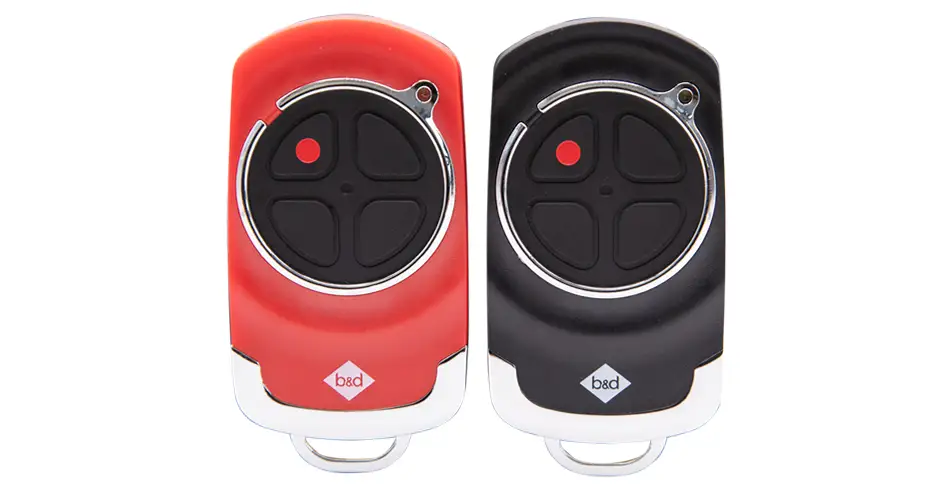
| Replace or add a remote | Remote guidance and compatibility | Record the opener and remote model/version. |
| Understand a warning light or beep | Model-specific troubleshooting | Note the pattern without repeatedly operating a faulty door. |
| Clean or care for the door | Care and maintenance | Follow the instructions for the actual finish and mechanism. |
| Check cover or register a purchase | Warranty guide | Have the receipt, installation details and service records. |
| Arrange professional work | Service or repair | Describe the symptoms, access and equipment. |
Quick guides and technical manuals
| Quick guide / PDF | What it helps you do |
|---|---|
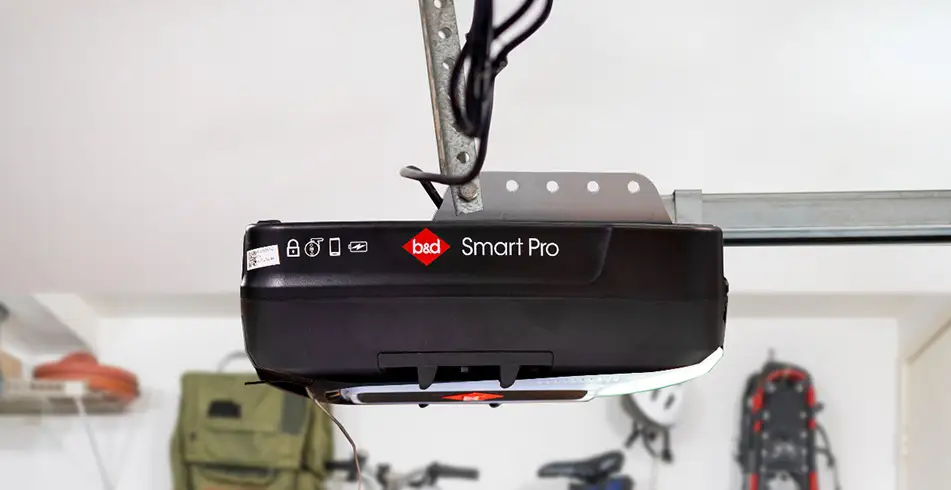
| B&D Quick Operation Guide Smart Pro, Smart & Secure | Smart Pro, Smart and Secure: controls, manual operation, remote coding, CR2032 remote battery, compatible smartphone setup and warning indicators. |
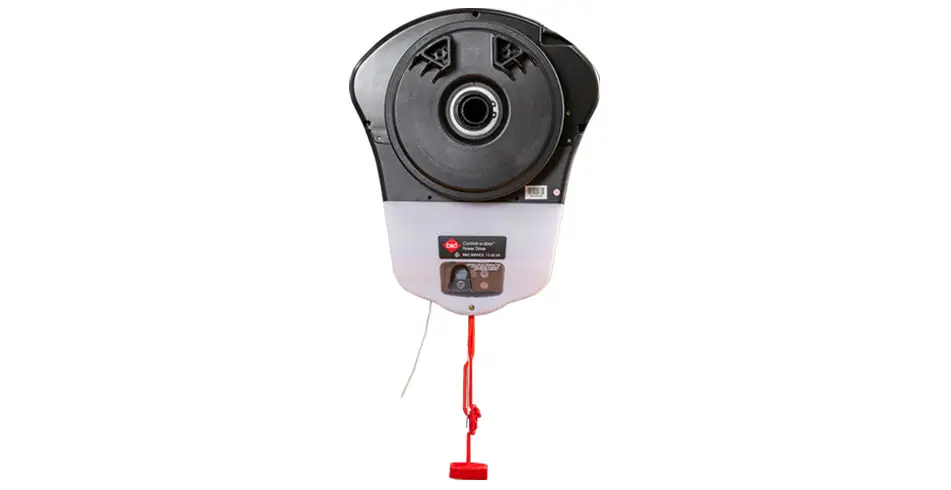
| B&D Quick Operation Guide Powerdrive & Roll-A-Pro | Power Drive and Roll-A-Pro: controls, manual operation, remote coding, battery care and troubleshooting. Power Drive stores 64 remotes; Roll-A-Pro stores 8. |
| B&D Quick Operation Guide PanelMax | PanelMax SDO-8: use the guide matching this opener generation rather than a Smart-family procedure. |
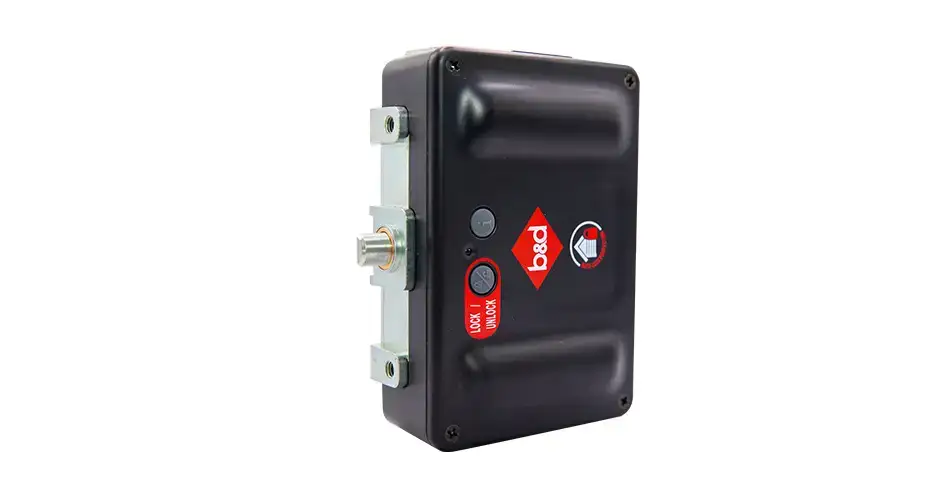
| Sectional AUTO LOCK — Quick Operation Guide | Sectional AUTO LOCK: operating status, manual/emergency access and battery guidance for the pictured hardware. |
| ATA Openers Quick Operation Guide Hiro | Hiro GDO-12: owner operation, controls, manual access and model-specific care. |
The full manual index also links product specification chapters, the remote compatibility chart and installer documents. Document dates and model generations matter; a newer product can have different controls or accessory requirements.
Keep useful records with the property
| Have ready | Why it helps |
|---|---|
| Door and opener model/version | Identifies the correct equipment, manual and compatible parts. |
| Installation date and dealer | Helps locate supply and installation records. |
| Symptoms, lights and sounds | Allows us to understand what happened without repeated operation. |
| Photographs taken from a safe position | Helps describe damage, labels and the installed arrangement. |
| Service history and purchase record | Supports maintenance planning and assessment of any warranty claim. |
| Suburb, access and urgency | Helps the local repairer assess availability and the visit. |
Store the operating guide, invoice and service reports where the next owner or property manager can find them. If the service history is unknown, arrange an assessment rather than assuming the equipment is up to date.
Review access when circumstances change
When a remote is lost or occupants change, review radio remotes, PINs and app users separately. The procedure to delete a transmitter or clear memory depends on the opener model. Ask us to help identify the process for each type of access.
Know when to arrange a technician
If the door is damaged, crooked, off its tracks, has a broken spring or cable, or may fall, stop using it and keep people away from the opening. Do not force the door, adjust springs or cables, or disconnect an unsupported door from its opener. Arrange a trained technician.
Owner guides support everyday operation and the permitted checks. They are not a substitute for training to repair springs, cables, tracks or motors. Arrange a repair when the door is damaged or behaviour changes.
Get help finding information
Call 13 62 63 or contact us with the model label and the question you need answered. For visual guidance, the main-site how-to library has task-specific resources; check they match your equipment.
Specifications and further information
Explore the matching guides below for complete operating instructions, installation drawings and warranty conditions.
Images on This Page
-
https://api.fouanalytics.com/api/noscript-2080i4coynpv51kq7epl.gif
(no alt text)
-
https://admin.bnd.com.au/media/kvqhfp5m/bd_80years-logo_2026_dark.png?rmode=max&width=2212&height=722
(no alt text)
-
https://admin.bnd.com.au/media/zdmj44kf/showrooms.svg
bnd-showrooms
-
https://admin.bnd.com.au/media/k2bhaqq2/bd-roll-a-door-night-sky-inside.webp?rmode=max&width=0&height=0
Reliable as Can B&D Roll-A-Door Garage Door Interior in Night Sky
-
https://admin.bnd.com.au/media/iigb25uj/bd-panelift-icon-basalt-nullabor.webp?rmode=max&width=0&height=0
Safe as Can B&D Panelift Section Door in Nullabor Basalt
-
https://admin.bnd.com.au/media/2jombqn1/bnd-designer-finishes-sheer-panel.webp?rmode=max&width=4546&height=2564
Bnd-Designer-Finishes-Sheer-Panel
-
https://admin.bnd.com.au/media/0fel4abo/bd-roll-a-door-series-2-commercial-warehouse-forklift.webp?rmode=max&width=951&height=490
Safe as Can B&D Forklift in front of a Series 2 Commercial Roller Door Home
-
https://admin.bnd.com.au/media/m1bpjbhm/bd-toughpanel-commercial-sectional-door.webp?rmode=max&width=1308&height=797
(no alt text)
-
https://admin.bnd.com.au/media/iukar1yo/bd-roll-a-door-series2-commercial-door.webp?rmode=max&width=951&height=490
Safe as Can B&D Angled view of Series 2 commercial Roll-A-Door installed in warehouse Home
-
https://admin.bnd.com.au/media/tt4na5tf/bd-controll-a-door-power-drive-roller-door-opener-profile.webp?rmode=max&width=0&height=0
Reliable as Can B&D Controll-A-Door Power Drive Opener Profile
-
https://admin.bnd.com.au/media/3k3b2sqk/bd-smart-pro-sectional-door-opener-profile-5.webp?rmode=max&width=0&height=0
Smart as Can B&D Profile View of Smart Pro Sectional Door Opener
-
https://admin.bnd.com.au/media/yxbf3xdh/bd-garage-door-remote.webp?rmode=max&width=0&height=0
Safe as Can B&D Two Branded Garage Door Remotes
-
https://admin.bnd.com.au/media/l52nemhn/bd-garage-door-smartphone-control.webp?rmode=max&width=0&height=0
Smart as Can B&D Hand holding smartphone in front of house and garage
-
https://admin.bnd.com.au/media/pfqjekdd/bd-auto-lock-garage-doors.webp?rmode=max&width=0&height=0
Safe as Can B&D Garage Door AUTO LOCK™
-
https://admin.bnd.com.au/media/bifpraoy/bd-safety-beam.webp?rmode=max&width=951&height=490
Safe as Can B&D Infrared Safety Beam Home
-
https://admin.bnd.com.au/media/1nebiadv/bd-to-you-happy-person.webp?rmode=max&width=0&height=0
Reliable as Can B&D Smiling Customer greeting a B&D To You Consultant
-
https://admin.bnd.com.au/media/wvebovpq/bd-service-your-garage-door-and-opener.webp?rmode=max&width=0&height=0
Reliable as Can B&D Happy Customer looking at Garage Door Manual
-
https://admin.bnd.com.au/media/tbpplc1d/bd-garage-door-car-wash.webp?rmode=max&width=0&height=0
Safe as Can B&D Young Girl Spraying Car with Water
-
https://admin.bnd.com.au/media/mswbsv20/social_facebook.webp?rmode=max&width=0&height=0
facebook social
-
https://admin.bnd.com.au/media/1mdhluow/social_youtube.webp?rmode=max&width=0&height=0
youtube social
-
https://admin.bnd.com.au/media/b5ukqdzp/social_linkedin.webp?rmode=max&width=0&height=0
linkedin social
-
https://admin.bnd.com.au/media/0hxb2b1k/bd-garage-doors-pinterest.webp?rmode=max&width=0&height=0
Pinterest Logo
-
https://admin.bnd.com.au/media/xyhfahvw/instagram-64.webp?rmode=max&width=0&height=0
instagram social
-
https://admin.bnd.com.au/media/dixfjpl4/branding_dulux.webp?rmode=max&width=0&height=0
Dulux page
-
https://admin.bnd.com.au/media/2c0jsrqw/asial-australian-security-industry-association-limited-member-logo.webp?rmode=max&width=0&height=0
ASIAL Australian Security Industry Association Limited Member Logo
-
https://www.bnd.com.au/images/app-store-badge.svg
Download on the App Store
-
https://www.bnd.com.au/images/google-play-badge.svg
Get it on Google Play
-
https://pixel.zprk.io/v5/pixel/ok5dCCY8BD.gif?ssid=1
(no alt text)