Understand a B&D opener’s beeps and flashing lights
Your opener’s lights can tell you what it’s doing and when it needs attention. We’ll help you recognise normal movement, remote coding, service reminders and fault signals. Start with your model, which light is flashing and when it happens.
Urgent repair help · Call 13 62 63
Record the model, light and timing
- Read the opener model/version label.
- Identify whether it is the large courtesy/main light or a small OPEN, CLOSE, remote, network, battery or service indicator.
- Count the repeatable flashes between pauses and note whether they occur during movement, after movement or during programming.
- Note whether mains power is available and whether the door is moving normally.
Stop if the door is damaged, crooked, unusually heavy or has a broken spring or cable. Keep people and vehicles clear and arrange a repair. Do not release an open or unsupported door, pull it back onto its tracks or adjust springs, cables or opener force settings.
Sectional main-light service and warning codes
Applies to Secure SDO-6V3, Smart SDO-7V3 and Smart Pro SDO-9V3. Check the model/version label and match the controls to the linked manual before starting. A familiar product name or remote appearance alone does not establish compatibility.
This procedure does not cover every older B&D opener, PanelMax, commercial operator or gate motor. Use the instructions for that exact model. Roll-A-Door Secure and installations with an automatic lock also need their separate lock/system procedure.
This table applies to the main light after operation, in ordinary operation. It combines the matching quick guide’s normal-open indication with the installation manual’s service/warning table. It does not describe every small indicator or diagnostic mode.
| Main-light flashes after operation | Meaning for the specified SDO models | What to do |
|---|---|---|
| 1 | Normal fully-open indication in Quick Guide 161080_01 | No service action from this indication alone. |
| 2 | Safety Beam is preventing movement | Clear a visible obstruction while the door is stationary. If the warning persists, arrange assessment; do not bypass the beam. |
| 3 | Wireless AUTO LOCK battery low | Identify the actual lock version and follow its battery instructions. |
| 4 | Wireless Safety Beam battery low | Identify the actual beam version and follow its battery instructions. |
| 5 | Wireless lock has not unlocked | Do not drive against the lock. Follow the separate matching lock guide or arrange help. |
| 6 | Scheduled maintenance due after the preset cycle count | Arrange a service; resetting the reminder is not servicing. |
| 7 | Backup battery fault | Arrange support for the battery and charging system. |
| 8 | Door encountered an obstruction | Clear a visible obstruction if safe. Stop if there is damage or the problem repeats. |
| 9 | Motor overload or stall | Stop cycling the door and arrange professional assessment. |
| 10 | Running on battery backup because mains power is off | Check the power situation. In battery operation, the light flashes three times at the start of the cycle and ten at the end. |
Battery-related functions depend on the installed package. A warning entry does not mean every model includes that accessory.
When MODE is on, the same count can mean something else
The installation manual has a separate FAULT status table when MODE is on. Do not apply the ordinary warning table to that state or enter adjustment mode to investigate a warning. Record the indication for a technician.
| Flashes with MODE on | What the fault means on these SDO models |
|---|---|
| 2 or 3 | Profiling failed after limit setting |
| 4 or 5 | Position fault |
| 6 | Motor moving in the wrong direction |
| 7 | Memory fault |
| 8 | Motor current-sensor fault |
| 9 | Motor-drive fault |
Normal Power Drive and Roll-A-Pro indicators
Applies to Power Drive RDO-1V4 and Roll-A-Pro RDO-1V3. Check the model/version label and match the controls to the linked manual before starting. A familiar product name or remote appearance alone does not establish compatibility.
This procedure does not cover every older B&D opener, PanelMax, commercial operator or gate motor. Use the instructions for that exact model. Roll-A-Door Secure and installations with an automatic lock also need their separate lock/system procedure.
| Indicator | Normal meaning in the rolling quick guide |
|---|---|
| OPEN | Flashes during opening; stays on when open. |
| CLOSE | Flashes during closing; stays on when closed. |
| CODE SET | Flashes when storing a code or receiving a transmitter-button press. |
| SERVICE | Indicates that service attention is required. |
Do not transfer the sectional main-light flash-count table to a roller opener, PanelMax, Hiro, Toro or older model.
Useful checks and when to stop
- Keep the door still while removing a visible loose obstruction from the opening or beam path.
- Check the correct remote battery and the exact accessory guide before replacing anything.
- Do not repeatedly run a stalled motor, increase force, bypass a beam or reset maintenance reminders to suppress a warning.
- For unexpected movement, damage, an unresolved lock or repeated warning, stop using the door and arrange support.
If the controls, indicators or release mechanism differ from this guide, stop and find your model’s manual or call us on 13 62 63. Have the opener model/version, remote or accessory model and the symptom ready. For damage or repeated faults, arrange a repair.
Your manuals and helpful downloads
- Sectional manual: main-light warnings and separate MODE-on fault table, page 22
- Sectional Quick Operation Guide: warning table
- Rolling Quick Operation Guide: normal controls and indicators
- Sectional AUTO LOCK: version-specific lock guidance
- More from B&D
Keep the guide for the model and equipment fitted to your garage. The documents below include the diagrams, full warnings and installer information to support the steps above.
Images on This Page
-
https://api.fouanalytics.com/api/noscript-2080i4coynpv51kq7epl.gif
(no alt text)
-
https://admin.bnd.com.au/media/kvqhfp5m/bd_80years-logo_2026_dark.png?rmode=max&width=2212&height=722
(no alt text)
-
https://admin.bnd.com.au/media/zdmj44kf/showrooms.svg
bnd-showrooms
-
https://admin.bnd.com.au/media/k2bhaqq2/bd-roll-a-door-night-sky-inside.webp?rmode=max&width=0&height=0
Reliable as Can B&D Roll-A-Door Garage Door Interior in Night Sky
-
https://admin.bnd.com.au/media/iigb25uj/bd-panelift-icon-basalt-nullabor.webp?rmode=max&width=0&height=0
Safe as Can B&D Panelift Section Door in Nullabor Basalt
-
https://admin.bnd.com.au/media/2jombqn1/bnd-designer-finishes-sheer-panel.webp?rmode=max&width=4546&height=2564
Bnd-Designer-Finishes-Sheer-Panel
-
https://admin.bnd.com.au/media/0fel4abo/bd-roll-a-door-series-2-commercial-warehouse-forklift.webp?rmode=max&width=951&height=490
Safe as Can B&D Forklift in front of a Series 2 Commercial Roller Door Home
-
https://admin.bnd.com.au/media/m1bpjbhm/bd-toughpanel-commercial-sectional-door.webp?rmode=max&width=1308&height=797
(no alt text)
-
https://admin.bnd.com.au/media/iukar1yo/bd-roll-a-door-series2-commercial-door.webp?rmode=max&width=951&height=490
Safe as Can B&D Angled view of Series 2 commercial Roll-A-Door installed in warehouse Home
-
https://admin.bnd.com.au/media/tt4na5tf/bd-controll-a-door-power-drive-roller-door-opener-profile.webp?rmode=max&width=0&height=0
Reliable as Can B&D Controll-A-Door Power Drive Opener Profile
-
https://admin.bnd.com.au/media/3k3b2sqk/bd-smart-pro-sectional-door-opener-profile-5.webp?rmode=max&width=0&height=0
Smart as Can B&D Profile View of Smart Pro Sectional Door Opener
-
https://admin.bnd.com.au/media/yxbf3xdh/bd-garage-door-remote.webp?rmode=max&width=0&height=0
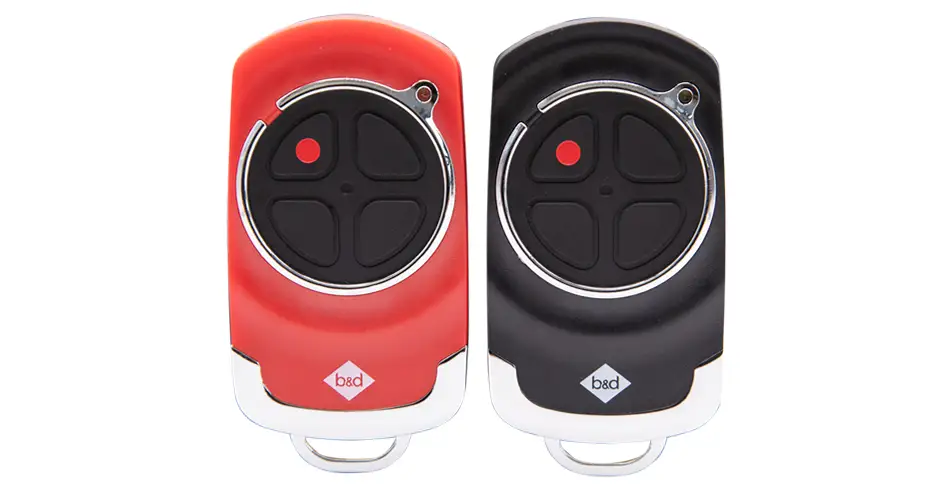
Safe as Can B&D Two Branded Garage Door Remotes
-
https://admin.bnd.com.au/media/l52nemhn/bd-garage-door-smartphone-control.webp?rmode=max&width=0&height=0
Smart as Can B&D Hand holding smartphone in front of house and garage
-
https://admin.bnd.com.au/media/pfqjekdd/bd-auto-lock-garage-doors.webp?rmode=max&width=0&height=0
Safe as Can B&D Garage Door AUTO LOCK™
-
https://admin.bnd.com.au/media/bifpraoy/bd-safety-beam.webp?rmode=max&width=951&height=490
Safe as Can B&D Infrared Safety Beam Home
-
https://admin.bnd.com.au/media/mswbsv20/social_facebook.webp?rmode=max&width=0&height=0
facebook social
-
https://admin.bnd.com.au/media/1mdhluow/social_youtube.webp?rmode=max&width=0&height=0
youtube social
-
https://admin.bnd.com.au/media/b5ukqdzp/social_linkedin.webp?rmode=max&width=0&height=0
linkedin social
-
https://admin.bnd.com.au/media/0hxb2b1k/bd-garage-doors-pinterest.webp?rmode=max&width=0&height=0
Pinterest Logo
-
https://admin.bnd.com.au/media/xyhfahvw/instagram-64.webp?rmode=max&width=0&height=0
instagram social
-
https://admin.bnd.com.au/media/dixfjpl4/branding_dulux.webp?rmode=max&width=0&height=0
Dulux page
-
https://admin.bnd.com.au/media/2c0jsrqw/asial-australian-security-industry-association-limited-member-logo.webp?rmode=max&width=0&height=0
ASIAL Australian Security Industry Association Limited Member Logo
-
https://www.bnd.com.au/images/app-store-badge.svg
Download on the App Store
-
https://www.bnd.com.au/images/google-play-badge.svg
Get it on Google Play
-
https://pixel.zprk.io/v5/pixel/ok5dCCY8BD.gif?ssid=1
(no alt text)