Choosing the right battery for your B&D garage remote
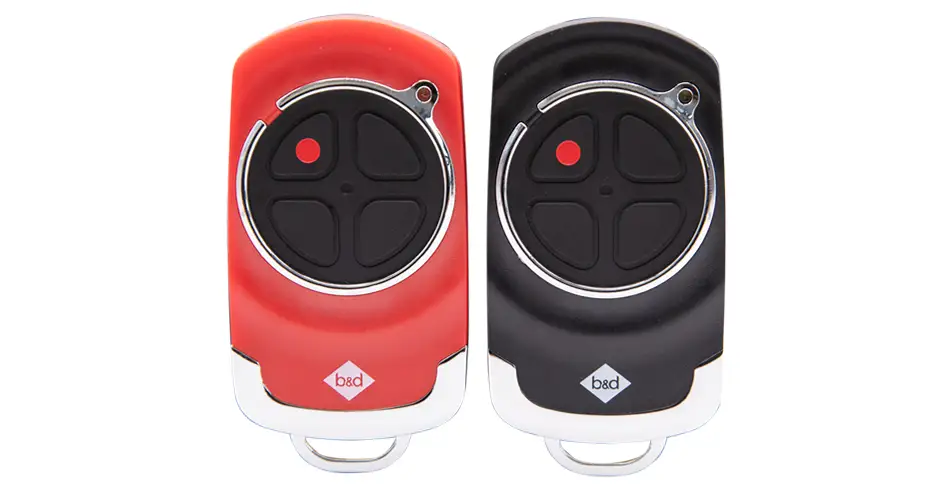
A weak remote battery can reduce reliability, but the correct replacement depends on the transmitter model. Start with the marking on your remote and its instructions. “B&D remote” or “wall remote” is not a precise enough description to choose a battery or a procedure.
Our quote form opens on the main B&D website.

Match the battery to the actual transmitter
| Documented transmitter context | Battery specified in the current manual |
|---|---|
| Premium remote described in Power Drive RDO-1V4/Roll-A-Pro RDO-1V3 manual 161061_05 | 1×CR2032 coin cell; specification table identifies3V. |
| Remote described in Smart Pro SDO-9V3/Smart SDO-7V3/Secure SDO-6V3 manual 161083_02 | 1×CR2032 coin cell; specification table identifies3V. |
| Older transmitter, TB6 variant, keypad or an unidentified wall control | Read its model marking and matching instructions or ask us to identify it. Do not select a battery from its appearance or mounting position. |
Use the specified type and voltage. Do not substitute a thicker, thinner or rechargeable cell simply because its diameter appears to fit. Wall-mounted controls do not all use the same battery. Check the model, and replace its battery according to the condition and instructions rather than a promised lifespan.
Check the battery indication before opening the case
The current manuals’ battery-replacement diagrams show a solid indicator as OK, a flashing indicator as replace, and no light as replace for the remotes illustrated. This indication is specific to those transmitter instructions; a different remote may behave differently.
If one handset fails but another works, the handset or its battery is a useful place to investigate. If no control operates the door, check the model-specific troubleshooting guide. A new remote battery will not repair a damaged door or an opener fault.
Follow the replacement sequence in your manual
- Identify the transmitter and read the matching replacement diagram. Keep the work area away from children.
- For the illustrated current premium remote, the manual specifies removing the screws with a screwdriver to open the case. Do not force an unfamiliar snap-fit case.
- Use a non-metallic object as shown to remove the cell. Match the marked polarity and fit the specified replacement.
- Securely close the battery compartment before testing the remote with the door in view and the opening clear.
If the compartment cannot be securely closed, stop using the remote and keep it out of reach of children. Ask us about a suitable replacement. A battery change is not a reason to perform a factory reset or erase every stored transmitter.
Treat coin cells as a serious hazard
Keep new and used batteries away from children. Our manuals warn that a swallowed battery, or one placed inside the body, can cause severe or fatal injury within two hours or less. If this is suspected, seek immediate medical attention.
For disposal, prevent short circuits by insulating the used cell as the manual directs and use an appropriate battery collection service. Follow the collection provider’s instructions; do not leave loose cells where children can reach them.
Still not working?
Confirm the replacement cell, polarity and secure contacts without bending or modifying the remote. Record the transmitter model, opener model, indicator behaviour and whether another control works. We can use those details to help distinguish a battery issue from a damaged remote, programming mismatch or receiver fault.
Use the correct manual for any coding procedure. If a handset is lost rather than flat, follow our lost-remote guide to review access.
Explore the relevant B&D information
Talk to us about your garage
Tell us what you have, what you want to change and any model details. We can help you find the appropriate next step for your door and property.